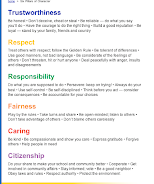


STUDENT EXPECTATION:
1) Click on "Go" on the top of your screen
2) Then select, "Connect to Server"
3) Then type smb://10.1.1.10/mhscoureshares/hinojosa
4) Then choose, "Telem-3rd period folder". You should then find the senior picture folders.
This is where you will file your Program work & save the work here.
Today you will move your files to this folder!
Each student will be assigned a specific page, to start adding the pictures to the bio's.
Once everyone has dropped the bio's they have completed we can then share from the server.


No comments:
Post a Comment